
Code U01B0 means the vehicle's computer stopped receiving expected messages from the Battery Monitor Module (BMM) — a component that tracks your battery's state of charge and health to help the charging system and other modules manage power more precisely. It's considered a high-severity code worth diagnosing promptly.
Jump to a section: What U01B0 means · Common symptoms · Common causes · How it's diagnosed · Quick reference table · FAQ
What U01B0 Means
The Battery Monitor Module sends periodic status messages over the vehicle's network, and the code sets specifically when one of these expected messages hasn't been received within about 250 milliseconds. Each message includes an identifier confirming which module sent it, so the receiving module knows precisely when the BMM has gone quiet.
Scan tools
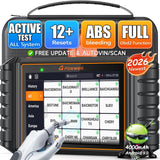 FOXWELL NT726 Bidirectional OBD2 Scanner
$368.99Scanners that read network codes.
FOXWELL NT726 Bidirectional OBD2 Scanner
$368.99Scanners that read network codes.
 FOXWELL NT614 Elite OBD2 Scanner
$233.69Scanners that read network codes.
FOXWELL NT614 Elite OBD2 Scanner
$233.69Scanners that read network codes.

Common Symptoms
Because the BMM's data feeds into how the charging system and other modules manage power, symptoms can include charging system warning lights, inaccurate battery-related readings, or broader electrical behavior tied to power management being affected.
Common Causes
A faulty Battery Monitor Module itself, an open or shorted harness connected to it, or a poor electrical connection at the module's connector are the most frequently reported causes.
Module and wiring parts
 ACDelco Wire Connectors, Replacement, 2 Pins
$90.99Connector and wiring repair parts. Confirm fitment by VIN before ordering.
ACDelco Wire Connectors, Replacement, 2 Pins
$90.99Connector and wiring repair parts. Confirm fitment by VIN before ordering.
 Nomex Split Loom, 1 in. x 10 ft
$105.66Connector and wiring repair parts. Confirm fitment by VIN before ordering.
Nomex Split Loom, 1 in. x 10 ft
$105.66Connector and wiring repair parts. Confirm fitment by VIN before ordering.


How It's Diagnosed
Checking the BMM's specific wiring, connector, and power/ground supply is the standard diagnostic starting point, since these are more common and cheaper to fix than an outright failed module. A scan tool that reads network communication codes can help confirm the exact fault pattern.
Battery and power checks
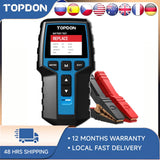 TOPDON BT200 12V Car Battery Tester Digital Automotive
$103.99Low voltage causes lost-communication codes.
TOPDON BT200 12V Car Battery Tester Digital Automotive
$103.99Low voltage causes lost-communication codes.
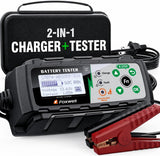 FOXWELL BC521 2-in-1 Battery Charger & Tester, Test Before
$162.35Low voltage causes lost-communication codes.
FOXWELL BC521 2-in-1 Battery Charger & Tester, Test Before
$162.35Low voltage causes lost-communication codes.
 FOXWELL BT705 Car Battery Tester 24V 12V, Alternator and Load
$159.89Low voltage causes lost-communication codes.
FOXWELL BT705 Car Battery Tester 24V 12V, Alternator and Load
$159.89Low voltage causes lost-communication codes.

Quick Reference Table
| Step | What To Check |
|---|---|
| 1 | Inspect BMM wiring and connector |
| 2 | Check power and ground supply to the module |
| 3 | Scan for related codes |
| 4 | Replace the BMM if wiring and connections check out fine |
Frequently Asked Questions
Is U01B0 urgent to fix?
Yes — it's classified as high severity, and driving isn't recommended if the warning light is flashing, the vehicle runs poorly, or other safety-related symptoms accompany it, so prompt diagnosis is worthwhile.
Where is the Battery Monitor Module usually located?
It's commonly integrated at or very near the battery itself on many GM vehicles, which also exposes its connector to the same corrosion risk as the battery terminals.
Can a bad battery terminal connection trigger this code?
Yes — since the BMM is closely tied to the battery physically, a poor or corroded connection nearby can disrupt its ability to communicate reliably, even if the module itself is functioning correctly.
Will replacing the battery fix this code?
Not necessarily — this code is about a communication fault with the monitor module rather than the battery's actual condition, so a wiring or module-level fix is generally needed rather than simply installing a new battery.
Shop the Parts Mentioned
-
 KONNWEI KW850 OBD2 Scanner — $83.11, retrieves generic (P0, P2, P3, U0) and manufacturer-specific (P1, P3, U1) codes, so it reads network codes like this one. Live data with graphing, freeze frame, O2 and EVAP tests, battery voltage check, and a built-in DTC lookup library. Engine-system coverage only — it does not read ABS or airbag modules.
-
 ACDelco Gold Negative Battery Cable — addresses corroded terminals near the battery monitor module.
-
 Battery Terminal Cleaning Brush — clears corrosion contributing to the fault.
-
 VDIAGTOOL BT500 Battery Tester — $57.53, tests battery health, cranking and charging on 6V/12V/24V systems with ripple analysis and a voltage waveform — rules out low system voltage, a common trigger for spurious module-communication codes.
-
 Car Jump Starter with Air Compressor & Digital Tire Inflator — useful backup while diagnosing a battery-adjacent electrical fault.