
OnStar not working in your GM vehicle is one of the most common connected-car complaints there is, and it almost never means the same thing twice. A red light on the button, a system that went dark after a battery replacement, remote start failing in the app, and a hotspot that vanished are four different faults with four different fixes. This guide walks them in the order that costs you the least money.
Start Here: Symptom to Most Likely Cause
| What you're seeing | Most likely cause | Where to start |
|---|---|---|
| App says "service unavailable" or asks you to re-subscribe | Lapsed subscription | Check plan status at onstar.com — free to rule out |
| Solid or flashing red light on the button | Telematics module has lost its network connection or entered an unrecoverable state | GM Service Update N262547330, below |
| Went dark right after a battery replacement or jump start | Module lost provisioning during the power interruption | Drive cycle, then a remote re-provision from OnStar |
| Blue button lights up but pressing it does nothing | Cellular signal or module fault, not the subscription | Retry in open sky, then check the telematics fuse |
| Button works, but the app can't reach the vehicle | Account linkage or app-side problem | Log out, reinstall, re-link the VIN |
| Wi-Fi hotspot gone, everything else fine | Separate data plan expired or capped | Check the data plan specifically — it is not the same plan |
| 2010–2018 vehicle, completely dead with no warning | 3G network shutdown | See the 3G sunset section below |
| Calls connect but advisors can't hear you | Microphone or its connector, near the mirror base | Inspect the mic connector for corrosion, common on older vehicles, before suspecting the module |
How OnStar Actually Works
OnStar runs on a Telematics Control Module (TCM) — you will also see it called a Telematics Communication Unit, or TCU — which is effectively a cellular modem built into the vehicle. It handles automatic crash response, emergency and roadside calls, remote start, lock and unlock through the myChevrolet, myGMC, myBuick or myCadillac app, vehicle diagnostics reports, stolen vehicle assistance, and the Wi-Fi hotspot.
That module needs three things at once: an active subscription, a usable cellular signal, and stable 12V power. Break any one of the three and OnStar can look completely dead even though the other two are fine. That is exactly why isolating the cause first saves you both time and money — a great many "failed module" complaints turn out to be an expired plan or a marginal battery.
Common Causes of OnStar Problems
| Cause | How to confirm it | Typical fix |
|---|---|---|
| Lapsed or expired subscription | Check plan status at onstar.com or in the app | Renew, or accept that emergency calling still works free |
| Weak cellular signal or antenna fault | Problem is location-specific and clears elsewhere | Nothing to repair if it is coverage; antenna check if it is everywhere |
| Low or dying 12V battery | Below roughly 12.4V at rest with the vehicle off | Replace or charge the battery, then retest |
| Blown telematics fuse | Check continuity on the fuse the owner's manual maps to the telematics module | Replace the fuse; if it blows again, trace the short |
| Module needs a re-sync | Follows a battery disconnect, jump start or dead battery | Full drive cycle, then a remote re-provision from OnStar |
| TCM in an unrecoverable state | 2024–2026 vehicle with a persistent red light | Service Update N262547330 reprogramming |
| 3G hardware | Roughly 2010–2018 vehicle, stopped working and never came back | Hardware upgrade if the VIN qualifies |
Battery tools
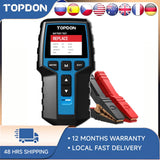 TOPDON BT200 12V Car Battery Tester Digital Automotive
$103.99Low voltage knocks OnStar offline.
TOPDON BT200 12V Car Battery Tester Digital Automotive
$103.99Low voltage knocks OnStar offline.
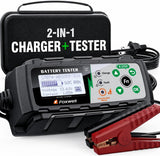 FOXWELL BC521 Battery Charger & Tester
$162.35Low voltage knocks OnStar offline.
FOXWELL BC521 Battery Charger & Tester
$162.35Low voltage knocks OnStar offline.
 FOXWELL BT705 Battery & Alternator Tester
$159.89Low voltage knocks OnStar offline.
FOXWELL BT705 Battery & Alternator Tester
$159.89Low voltage knocks OnStar offline.

GM Service Update N262547330: TCM Reprogramming (2024–2026)
If your vehicle is a 2024–2026 model and the OnStar light has gone red and stayed red, check this before booking any paid diagnosis. GM issued service update N262547330 — a service update, not a safety recall — covering a condition in which "the Telematic Control Module may enter an unrecoverable state," which knocks out OnStar, remote commands and app connectivity together.
It spans Buick, Cadillac, Chevrolet and GMC. Models named in the bulletin include the Buick Enclave, Cadillac CT5, Lyriq, Optiq and Vistiq, Chevrolet Blazer EV, BrightDrop 400 and 600, Corvette coupe and convertible, Equinox and Equinox EV, Silverado EV and Traverse, and the GMC Acadia and Sierra EV.
How it gets fixed: some vehicles receive it as an over-the-air update, provided you have accepted GM's OTA terms in the app; otherwise it is a dealer reprogram. GM's own instructions note the module "may require multiple sequential programming events" to reach the current software level, and that if the module cannot complete a test call to OnStar before programming, it has to be replaced outright rather than reflashed. For EVs, only EV-certified dealers can perform the procedure.
Cost: the bulletin is active until May 31, 2028, and the work is normally covered. If you are outside the 3-year/36,000-mile bumper-to-bumper warranty, ask the dealer about goodwill assistance rather than assuming you will pay.
2010–2018 Vehicles: the 3G Network Sunset
If you have a GM vehicle from roughly 2010 to 2018 and OnStar stopped working once and never came back, the cause is very likely not your car at all. Those telematics modules were built for 3G cellular, and AT&T, the carrier OnStar runs on in the US, has shut its 3G network down. No amount of fuse checking, battery replacement or resetting will bring the connection back, because the network the module is looking for no longer exists.
GM ran a TCM hardware upgrade program for some affected vehicles — call OnStar with your VIN to find out whether yours qualifies. On some vehicles emergency calling still functions through a 2G fallback path. For most 2010–2015 vehicles, though, the connected features are gone without a hardware upgrade, and a third-party remote start kit is the more sensible route to getting remote start back.
Antennas
 ACDelco GPS/Navigation Antenna
$112.99Antenna and GPS parts. Confirm fitment by VIN before ordering.
ACDelco GPS/Navigation Antenna
$112.99Antenna and GPS parts. Confirm fitment by VIN before ordering.
 CK FORMULA 3.7 in. Mini Antenna for Silverado/Sierra
$18.65Antenna and GPS parts. Confirm fitment by VIN before ordering.
CK FORMULA 3.7 in. Mini Antenna for Silverado/Sierra
$18.65Antenna and GPS parts. Confirm fitment by VIN before ordering.


Step-by-Step Troubleshooting
- Check the subscription. Log into onstar.com or the myChevrolet, myGMC, myBuick or myCadillac app and confirm the plan is active. Trials typically run three months on a new vehicle, and many owners never notice the lapse. This is free and resolves a large share of complaints.
- Check 12V battery voltage. Anything below about 12.4V at rest is worth addressing before you chase anything else — the module needs stable voltage to initialize and hold a connection.
- Park in open sky and wait ten minutes. Not in a parking garage, not under a metal carport. If it comes back, the problem was coverage.
- Drive 20–30 minutes at highway speed. Modules that lost provisioning after a battery event often re-register during an extended drive rather than at idle.
- Check the telematics fuse. Find the fuse the owner's manual assigns to the telematics or OnStar module and test it for continuity. A completely dead button with no light at all points here.
- Reinstall and re-link the app. Log out, delete the app, reinstall it, log back in, and confirm the VIN is still attached to your account.
- Check for pending OTA updates in the vehicle's Settings > Software Update menu.
- Look up technical service bulletins for your VIN. GM files its TSBs and service updates with NHTSA, and they are searchable free at nhtsa.gov. If a bulletin covers your symptom, walk into the dealer with the number rather than paying for diagnosis.
- Call OnStar at 1-888-466-7827. An advisor can push a remote re-provision to the module, which fixes a meaningful number of cases without a dealer visit at all. Do this before booking an appointment.
- Book the dealer for TCM reprogramming if everything above fails — and mention N262547330 by number if your vehicle is a 2024–2026 model.
Scan tools
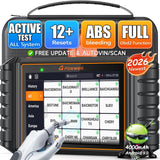 FOXWELL NT726 Bidirectional OBD2 Scanner
$368.99Read telematics module codes.
FOXWELL NT726 Bidirectional OBD2 Scanner
$368.99Read telematics module codes.
 FOXWELL NT614 Elite OBD2 Scanner
$233.69Read telematics module codes.
FOXWELL NT614 Elite OBD2 Scanner
$233.69Read telematics module codes.

What Still Works Without a Subscription
| Plan | What it covers |
|---|---|
| No plan | Automatic crash response and emergency calling generally remain available; everything else does not |
| Safety & Security | Emergency services, roadside assistance, stolen vehicle assistance |
| Remote Access | App controls, remote start, lock and unlock, vehicle diagnostics |
| Connected Access with data | The above plus the data allowance the Wi-Fi hotspot runs on |
The hotspot is the one people trip over most: it draws on a separate data plan, so it can stop working on its own while every other OnStar feature keeps running normally.
Chargers and mounts
 Speedboost Quad PD Car Charger
$39.99Use your phone when OnStar is down.
Speedboost Quad PD Car Charger
$39.99Use your phone when OnStar is down.
 Magnetic Car Phone Holder
$79.19Use your phone when OnStar is down.
Magnetic Car Phone Holder
$79.19Use your phone when OnStar is down.


When to Go to the Dealer
- The red light persists after every step above
- OnStar has not recovered a week after a battery replacement, including highway drives
- An OBD scan is returning U-codes tied to the telematics module
- Your vehicle falls under Service Update N262547330
Call 1-888-466-7827 with your VIN first regardless. A remote re-provision costs nothing and can save the appointment entirely.
Frequently Asked Questions
Why is my OnStar not working in my vehicle after a battery replacement?
The telematics module loses its network provisioning during the power interruption and does not always recover on its own. Drive 20–30 minutes at highway speed, park somewhere with strong signal, and if it is still out, call OnStar at 1-888-466-7827 for a remote re-provision. This is one of the most frequently reported OnStar faults and it is usually fixable without a dealer visit.
What does a red light on the OnStar button mean?
Solid or flashing red means the module has lost its connection to GM's network, or has entered an unrecoverable state. On 2024–2026 vehicles it frequently points to the condition covered by GM Service Update N262547330, which is corrected by reprogramming the module either over the air or at a dealer.
Is a lapsed subscription really the most common cause?
Yes. Many owners do not realize a trial or paid plan has expired until OnStar suddenly stops responding. Checking plan status is free, takes a minute, and is the fastest thing to rule out before assuming hardware failure.
Can a weak battery affect OnStar specifically?
Yes. The module needs stable voltage to initialize and hold a cellular connection, and an aging or marginal battery can cause it to drop out or fail to start up while the rest of the vehicle still runs normally. Check for anything under roughly 12.4V at rest.
Does OnStar still work without a subscription?
Automatic crash response and emergency calling generally remain available without a paid plan. Remote start, app access, diagnostics and the Wi-Fi hotspot all require an active subscription.
Why did only my Wi-Fi hotspot stop working?
The hotspot runs on a separate data plan from the rest of OnStar, so it can expire or hit its monthly cap on its own. Check the data plan specifically rather than the OnStar plan.
My 2012 Silverado's OnStar died and never came back. Why?
Almost certainly the 3G network shutdown. Modules from roughly 2010–2018 were built for 3G, which carriers have retired. Call OnStar with your VIN to see whether a hardware upgrade is available; otherwise a third-party remote start kit is the practical way to get remote start back.
Does OnStar work everywhere?
It depends on cellular coverage, exactly like a phone. If OnStar drops out consistently in one location but works fine elsewhere, that is a coverage issue rather than a vehicle fault.
What number do I call for OnStar support?
1-888-466-7827. Have your VIN ready — advisors can check your plan, confirm whether a service update applies, and attempt a remote re-provision on the spot.
Recommended Products from The GM Service Guy Shop
-
 RSGM7 Remote Start Kit — a reliable remote start alternative that doesn't depend on cellular connectivity.
-
 RSGM6 Remote Starter Kit — for push-to-start GM trucks and SUVs.
-
 RSGM4 Remote Start Kit — with OEM keyless entry integration for older Chevy/GMC trucks and vans.
-
 Beta09 Jump Starter with Air Compressor — since voltage drops are a top cause of module dropouts, a solid jump starter is cheap insurance.
-
 Keyless Entry Remote Key — a backup for OnStar-linked remote access when the fob or system is glitchy.