
When a soft reset (holding the power/volume knob) doesn't clear a persistent infotainment glitch, a hard reboot — fully cutting power to the module rather than just restarting the display — reaches deeper software states that a simple button hold can't touch.
Jump to a section: Try a soft reset first · Hard reboot via fuse · Hard reboot via battery disconnect · What to expect afterward · Quick reference table · FAQ
Try a Soft Reset First
Before pulling any fuses, hold the power/volume knob (or dedicated power button) for 10-15 seconds to force a simple restart. This resolves the majority of minor freezes and glitches without needing a full power cycle.
Infotainment parts
 ACDelco USB/Aux Audio Receptacle 13529862
$101.99USB and radio parts. Confirm fitment by VIN before ordering.
ACDelco USB/Aux Audio Receptacle 13529862
$101.99USB and radio parts. Confirm fitment by VIN before ordering.
 MAMSM Car Radio Canbus For GMC Sierra Acadia Yukon Chevrolet
$61.38USB and radio parts. Confirm fitment by VIN before ordering.
MAMSM Car Radio Canbus For GMC Sierra Acadia Yukon Chevrolet
$61.38USB and radio parts. Confirm fitment by VIN before ordering.
 Car Stereo Radio Adapter Wiring Harness Canbus Box for GMC
$27.70USB and radio parts. Confirm fitment by VIN before ordering.
Car Stereo Radio Adapter Wiring Harness Canbus Box for GMC
$27.70USB and radio parts. Confirm fitment by VIN before ordering.


Hard Reboot Via Fuse
If a soft reset doesn't help, locate the infotainment/radio fuse in your fuse box diagram (check your owner's manual for the exact location and fuse number) and pull it for about a minute before reinserting. This fully cuts power to the module, forcing a complete reboot of its internal software.
Battery tools
 TOPDON BT200 12V Car Battery Tester Digital Automotive
$103.99Battery and charger for the disconnect method.
TOPDON BT200 12V Car Battery Tester Digital Automotive
$103.99Battery and charger for the disconnect method.
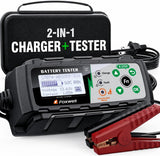 FOXWELL BC521 2-in-1 Battery Charger & Tester, Test Before
$162.35Battery and charger for the disconnect method.
FOXWELL BC521 2-in-1 Battery Charger & Tester, Test Before
$162.35Battery and charger for the disconnect method.
 FOXWELL BT705 Car Battery Tester 24V 12V, Alternator and Load
$159.89Battery and charger for the disconnect method.
FOXWELL BT705 Car Battery Tester 24V 12V, Alternator and Load
$159.89Battery and charger for the disconnect method.

Hard Reboot Via Battery Disconnect
Alternatively, disconnecting the vehicle's 12-volt battery for about a minute achieves a similar full power cycle, though it will also reset other settings tied to constant power (like the clock). This is a reasonable option if you're unsure of the correct fuse location.
What to Expect Afterward
After reconnecting power, the infotainment system may take 30-90 seconds or longer to fully boot up and initialize, especially after a hard reboot. Some settings not stored in permanent memory (like the clock) will need to be reset manually.
Tools
 Car Trim Removal Tool Kit 5/11/41/161-Piece Auto Interior
$9.99Trim tools and a scanner.
Car Trim Removal Tool Kit 5/11/41/161-Piece Auto Interior
$9.99Trim tools and a scanner.
 Car Interior Trim Removal Tool Kit — Non-Scratch Pry Tools
$11.99Trim tools and a scanner.
Car Interior Trim Removal Tool Kit — Non-Scratch Pry Tools
$11.99Trim tools and a scanner.
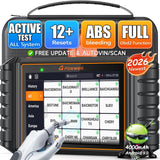 FOXWELL NT726 Bidirectional OBD2 Scanner
$368.99Trim tools and a scanner.
FOXWELL NT726 Bidirectional OBD2 Scanner
$368.99Trim tools and a scanner.


Quick Reference Table
| Step | What To Do |
|---|---|
| 1 | Try a soft reset (hold power/volume knob) |
| 2 | Locate the correct infotainment fuse in your owner's manual |
| 3 | Pull the fuse for about a minute |
| 4 | Reinsert the fuse and allow the system to fully boot |
| 5 | Reset clock and any other lost settings |
Frequently Asked Questions
Will a hard reboot delete my paired Bluetooth devices?
Generally no — a hard reboot power-cycles the module but typically preserves saved settings and pairings, unlike a full factory reset performed through the Settings menu, which does clear that data.
Is it safe to pull a fuse while the vehicle is running?
It's best to do this with the vehicle off and the key removed to avoid any unexpected electrical behavior while working in the fuse box.
How long should I wait before reinserting the fuse?
About one minute is generally enough to fully discharge the module's residual power and force a clean reboot; waiting longer doesn't provide additional benefit.
What if a hard reboot doesn't fix the problem?
If the issue persists after both a soft and hard reset, it likely points to a software bug needing an update, a stuck configuration needing a full factory reset, or a genuine hardware fault requiring dealer diagnosis.
Shop the Parts Mentioned
-
 95-Piece Mechanics Tool Set (Metric & SAE) — for fuse box or battery terminal access.
-
 Car Jump Starter with Air Compressor & Digital Tire Inflator — keeps your battery topped off if disconnecting it for the reboot.
-
 Magnetic Car Phone Holder — a handy backup for navigation while the system reboots.