
"Password" can mean a few different things on a modern GMC: your connected services account password, a profile PIN on the infotainment system, or your built-in WiFi hotspot password. Each is reset in a different place, so identifying which one you actually need helps you find the right fix quickly.
Jump to a section: Connected services account password · Infotainment profile PIN · WiFi hotspot password · Quick reference table · FAQ
Connected Services Account Password
If you've forgotten the password for your GMC connected services account (used to log into the companion app or web portal), use the "Forgot Password" link on the app or website's login screen, which sends a reset link to your registered email address.
Cabin tech
 Speedboost Quad PD Car Charger
$39.99Chargers and cables.
Speedboost Quad PD Car Charger
$39.99Chargers and cables.
 120W Super Fast Charging Cable for iPhone & Android
$23.68Chargers and cables.
120W Super Fast Charging Cable for iPhone & Android
$23.68Chargers and cables.


Infotainment Profile PIN
Some GMC infotainment systems let you set up a PIN to protect a personalized driver profile's settings. If you've forgotten this PIN, check under Settings, then a Profiles or Users submenu, for a reset option; some systems may require confirming your identity through the connected services account instead.
Infotainment parts
 ACDelco USB/Aux Audio Receptacle 13529862
$101.99USB and radio parts. Confirm fitment by VIN before ordering.
ACDelco USB/Aux Audio Receptacle 13529862
$101.99USB and radio parts. Confirm fitment by VIN before ordering.
 MAMSM Car Radio Canbus For GMC Sierra Acadia Yukon Chevrolet
$61.38USB and radio parts. Confirm fitment by VIN before ordering.
MAMSM Car Radio Canbus For GMC Sierra Acadia Yukon Chevrolet
$61.38USB and radio parts. Confirm fitment by VIN before ordering.
 Car Stereo Radio Adapter Wiring Harness Canbus Box for GMC
$27.70USB and radio parts. Confirm fitment by VIN before ordering.
Car Stereo Radio Adapter Wiring Harness Canbus Box for GMC
$27.70USB and radio parts. Confirm fitment by VIN before ordering.


WiFi Hotspot Password
Your vehicle's built-in WiFi hotspot password can be viewed and changed directly from Settings, then a WiFi Hotspot or Connections submenu, without needing any special reset process — this screen typically displays the current network name and password, or lets you set a new one.
Battery tools
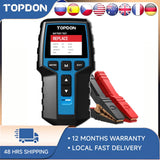 TOPDON BT200 12V Car Battery Tester Digital Automotive
$103.99Low voltage causes infotainment faults.
TOPDON BT200 12V Car Battery Tester Digital Automotive
$103.99Low voltage causes infotainment faults.
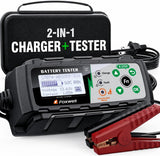 FOXWELL BC521 2-in-1 Battery Charger & Tester, Test Before
$162.35Low voltage causes infotainment faults.
FOXWELL BC521 2-in-1 Battery Charger & Tester, Test Before
$162.35Low voltage causes infotainment faults.
 FOXWELL BT705 Car Battery Tester 24V 12V, Alternator and Load
$159.89Low voltage causes infotainment faults.
FOXWELL BT705 Car Battery Tester 24V 12V, Alternator and Load
$159.89Low voltage causes infotainment faults.

Quick Reference Table
| What You Forgot | Where To Reset It |
|---|---|
| Connected services account password | "Forgot Password" on app/website login |
| Infotainment profile PIN | Settings > Profiles/Users |
| WiFi hotspot password | Settings > WiFi Hotspot/Connections |
Frequently Asked Questions
Will resetting my account password affect my saved vehicle settings?
No — an account password reset only changes your login credentials and doesn't affect any settings, presets, or paired devices stored on the vehicle itself.
What if I don't receive the password reset email?
Check your spam or junk folder first, and confirm you're using the same email address originally registered to your connected services account; if it still doesn't arrive, contacting GMC customer support directly can help.
Can I remove a profile PIN entirely instead of just resetting it?
Many systems allow disabling profile PIN protection entirely through the same Profiles or Users settings menu, if you'd prefer not to use one going forward.
Does changing my hotspot password affect connected devices?
Yes — any device connected with the old password will need to be reconnected using the new one, since most devices don't automatically pick up a changed password.
Shop the Parts Mentioned
-
 Magnetic Car Phone Holder — handy for managing account and password settings from your phone.
-
 360 Rotatable Car Phone Holder — another convenient mounting option.
-
 5Core SpeedCharge Car USB-C Adapter — keeps your phone charged during account setup.