
When GMC Bluetooth stops working, the fix is rarely a new radio. GM's own bulletins point at three things instead: a pairing reset that has to be done on both devices, a radio software update that addresses a long list of pairing and audio faults, and a set of behaviours GM classifies as normal design characteristics with an explicit instruction not to replace the radio at all.
Jump to a section: The pairing reset GM specifies · Why your phone matters as much as the truck · The faults that aren't faults · The radio software update · What GM attributes to radio software · If the radio locks up during an update · Causes and how to confirm each · Which radio do you have? · Before you book a dealer visit · GM documents · What other pages get wrong · FAQ
The Pairing Reset GM Actually Specifies
Almost every guide tells you to delete the phone from the radio and pair it again. GM's instruction is more specific, and the extra step is the one that matters.
GM PIC5901A, dated August 2014, covers 2013–2014 GMC Terrain along with several Buick and Chevrolet models equipped with an IntelliLink or MyLink radio (RPO UFU with UP9, or UHQ). The condition is a phone that will not connect to the vehicle, or that loses its Bluetooth connection.
The recommended sequence is: update the phone to current software, then delete the phone from the Bluetooth Device List in the radio and delete the radio from the paired device list on the phone. Only once both sides have been cleared can the phone and radio be paired again.
That two-sided deletion is the part people skip. Bluetooth pairing stores a link key on both devices. Clearing one side leaves a stale key on the other, and the two then disagree about a connection they think already exists. The symptom is a phone that appears to pair and then immediately drops, or one that connects but passes no audio.
Do it in this order every time: forget on the phone, delete on the radio, cycle the ignition fully off and on, then pair fresh.
Battery tools
 TOPDON BT200 12V Car Battery Tester Digital Automotive
$103.99Low voltage causes radio lockups.
TOPDON BT200 12V Car Battery Tester Digital Automotive
$103.99Low voltage causes radio lockups.
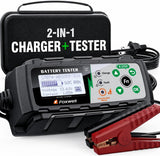 FOXWELL BC521 2-in-1 Battery Charger & Tester, Test Before
$162.35Low voltage causes radio lockups.
FOXWELL BC521 2-in-1 Battery Charger & Tester, Test Before
$162.35Low voltage causes radio lockups.
Why Your Phone Matters as Much as the Truck
GM's bulletins are unusually direct that some Bluetooth complaints are phone-side, and they name the remedy.
PIC5901A's actual correction for the Samsung Galaxy S III connection problem is not a vehicle repair at all. It is to update the phone to current Android software, which at the time meant version 4.4 or later, and then re-pair. The vehicle was never the fault.
GM 15-NA-081 carries a related instruction for technicians performing its radio update. If the update is being done because of phone or Bluetooth complaints, customers should update their phone to the latest software version and re-pair to the vehicle. For iPhones specifically, GM says to close all apps running in the background and perform a soft reset before pairing fresh — and adds that this should be done frequently to keep the phone running well.
The practical takeaway for an owner: a truck that paired fine for two years and then stopped often did not change. Your phone updated. Before you pay anyone to look at the radio, update the phone fully, restart it, and run the two-sided pairing reset.
The "Faults" That Aren't Faults
GM 17-NA-330, revised December 2018, is filed as an INFORMATION bulletin and titled with the words Normal Characteristic. It covers 2018–2019 GMC Terrain, 2019 GMC Canyon and 2019 GMC Sierra 1500 (New Model), plus a list of Buick and Chevrolet models, all equipped with RPO IOR — Radio-Infotainment System 3.X Low HMI, Midlevel Connectivity 3.X.
The push-to-talk button. Customers report that the steering wheel push-to-talk button does nothing, or that a connected phone does not respond when it is pressed. GM's explanation: this radio has no built-in voice recognition. Voice commands depend entirely on the connected phone. If a phone is connected, make sure the phone's native voice recognition app — Siri or Google Assistant — is enabled. If no phone is paired at all, giving no response is normal operation. The button can still answer OnStar hands-free calls where equipped.
Device names you cannot delete. Customers report that the radio keeps displaying names of USB and Bluetooth devices that were removed. GM explains that the radio shows the last three audio sources used — AM, FM, XM, a streaming Bluetooth device, a USB drive — and keeps them listed even after the device is gone. To clear a name, press the More button on the display and select other sources like AM, FM and XM until the disconnected device falls off the Recents list.
GM's correction section for both conditions says, in capitals: do not replace the radio assembly, as this is a normal design characteristic for the infotainment system.
That is a rare and useful thing to have in writing. Two of the most common Bluetooth-adjacent complaints on these radios are documented non-defects, and GM specifically instructs dealers not to sell a radio for them.
The Radio Software Update That Fixes Pairing
GM 15-NA-081, dated September 2016, is the substantial one. It covers 2014–2016 Buick Encore and Verano, 2016 Buick Cascada, 2014–2015 Chevrolet Camaro, 2014–2016 Chevrolet Caprice PPV, Cruze (VIN P) and Equinox, and other models, with radio RPOs UFU, UFF, UFW, UHQ, UHK, UHR or UHJ.
The correction is to USB and SPS program the radio with the latest TIS2web software files. This is a dealer or qualified independent shop procedure — it requires TIS2web access, an MDI or MDI2, and a battery maintainer.
Two conditions from the bulletin are worth knowing even though you will not perform the work yourself. Battery voltage must be maintained between 12 and 15 volts throughout, and GM notes that radio lockups have occurred specifically because a PSC 550 battery maintainer or equivalent was not used. And the radio is returned to factory default values during the upgrade, so GM suggests recording customised settings beforehand so they can be restored. Write down your presets, your paired devices and your display preferences before you hand the keys over.
What GM Attributes to Radio Software
The symptom list in 15-NA-081 is long, and the Bluetooth-related entries are worth reading closely because several are oddly specific — the kind of thing an owner assumes is unique to them:
- Phone pairing concerns
- After pairing an iPhone, the phone does not automatically re-pair and no longer appears in the radio's Device List
- The Bluetooth connection may be lost when replying to a text message
- USB audio continues playing through the speakers during a Bluetooth phone call, with no audio from the phone
- Voice recognition phone book inoperative until after a complete ignition cycle
- Cannot edit the phone device list when it is full
- No audio at random intervals, while chimes still work normally
- The radio display freezes, goes blank and returns after a few seconds, sometimes to the splash screen, often with a loss of radio control just before
- The radio display freezes for an entire ignition cycle, possibly distorted or with lines through it, recovering only after the ignition is cycled
- Radio resets with no user input
That last group matters for Bluetooth troubleshooting even though it sounds like a screen problem. A radio that resets or freezes drops its Bluetooth connection when it does, and the owner experiences that as a Bluetooth fault. If your phone disconnects at the same moment the screen blinks, you are looking at a radio software issue, not a pairing issue.
The "no audio but chimes still work" entry is similarly instructive. Chimes and phone audio travel different paths, so working chimes do not prove the audio system is healthy.
If the Radio Locks Up During an Update
This is the single most valuable paragraph in 15-NA-081, and it is aimed at technicians rather than owners — which is exactly why it is worth knowing.
GM says that if the radio appears to lock up at any point during programming, let it sit for at least an hour to confirm it is genuinely stuck on the same screen with no sign of progress. If it is, the radio has locked up — but in most cases it can be recovered, and GM states plainly that it is unlikely radio replacement will be required.
The recovery is to remove the USB stick if one is installed, pull the radio fuse for 30 seconds, reinsert it, and restart the programming process from the beginning.
If a shop tells you your radio bricked during an update and needs replacing, that bulletin is worth having in hand.
Causes and How to Confirm Each One
| Cause | How to confirm it | Source |
|---|---|---|
| Stale pairing key on one side | Phone appears to pair then drops, or connects with no audio. Confirmed by a clean two-sided delete and fresh pair resolving it. | GM PIC5901A |
| Phone operating system out of date | Problem started after a phone update or a new phone. GM's documented fix for one such case was updating the phone, not touching the vehicle. | GM PIC5901A |
| Radio software | Symptoms match the 15-NA-081 list — particularly iPhone not auto re-pairing, connection dropping while replying to a text, or USB audio continuing during a call. | GM 15-NA-081 |
| Radio resets or freezes taking Bluetooth with it | The phone disconnects at the same moment the display blinks, goes blank, or returns to the splash screen. | GM 15-NA-081 |
| Device list full | New phones will not pair and existing entries cannot be removed. GM lists inability to edit a full device list as a software-addressed condition. | GM 15-NA-081 |
| Push-to-talk assumed broken | On RPO IOR radios there is no onboard voice recognition. Enable Siri or Google Assistant on the paired phone; with no phone paired, no response is normal. | GM 17-NA-330 |
| Old device names that will not clear | Normal design characteristic — the radio retains the last three audio sources. Cycle through AM, FM and XM until the entry falls off Recents. | GM 17-NA-330 |
| Low or unstable vehicle voltage | A marginal battery produces module resets and odd infotainment behaviour, and GM requires 12–15 volts even to perform the radio update safely. | GM 15-NA-081 |
Radio and USB parts
 ACDelco USB/Aux Audio Receptacle 13529862
$101.99USB receptacles and radio adapters. Confirm fitment by VIN before ordering.
ACDelco USB/Aux Audio Receptacle 13529862
$101.99USB receptacles and radio adapters. Confirm fitment by VIN before ordering.
 MAMSM Car Radio Canbus For GMC Sierra Acadia Yukon Chevrolet
$61.38USB receptacles and radio adapters. Confirm fitment by VIN before ordering.
MAMSM Car Radio Canbus For GMC Sierra Acadia Yukon Chevrolet
$61.38USB receptacles and radio adapters. Confirm fitment by VIN before ordering.
 Car Stereo Radio Adapter Wiring Harness Canbus Box for GMC
$27.70USB receptacles and radio adapters. Confirm fitment by VIN before ordering.
Car Stereo Radio Adapter Wiring Harness Canbus Box for GMC
$27.70USB receptacles and radio adapters. Confirm fitment by VIN before ordering.


Which Radio Do You Have?
GM writes these bulletins against RPO codes rather than model names, because the same GMC can be built with several different radios. The codes appear on the Service Parts Identification label, usually inside the glovebox or on the spare tire cover.
The radio RPOs named in 15-NA-081 are UFU, UFF, UFW, UHQ, UHK, UHR and UHJ. PIC5901A applies to IntelliLink and MyLink radios under RPO UFU with UP9, or UHQ. 17-NA-330 applies to RPO IOR, the 3.X Low HMI midlevel connectivity system.
Checking your SPID label before assuming a bulletin applies takes two minutes and saves you from chasing a fix written for a radio you do not have. This is also the reason forum advice fails so often on infotainment — two owners of the same model year truck can be running entirely different systems.
Before You Book a Dealer Visit
Work through this list in order. Most Bluetooth complaints resolve somewhere in it.
- Update the phone fully and restart it. On an iPhone, close background apps and perform a soft reset, exactly as GM instructs.
- Delete both sides. Forget the vehicle on the phone, delete the phone from the radio's device list, then cycle the ignition completely.
- Clear the device list if it is full. A full list blocks new pairings.
- Pair fresh with the vehicle stationary and the engine running. Accept every permission prompt on the phone, including contacts and messages, since declining those produces phone book and text symptoms that look like pairing failures.
- Test a second phone. This splits the problem the same way a spare key fob does. If a second phone pairs and works, the vehicle is fine.
- Note whether the display misbehaves at the same time. Freezes, blank screens and unprompted resets change the diagnosis from pairing to radio software.
- Write down your settings. If a radio update is coming, the radio returns to factory defaults.
- Record your radio RPO from the SPID label. Bring it to the appointment.
Phone mounts
 Magnetic Car phone holder
$79.19Mounts that keep the phone in reach.
Magnetic Car phone holder
$79.19Mounts that keep the phone in reach.
 SEAMETAL Rearview Mirror Phone Holder for Car Free Rotation
$29.27Mounts that keep the phone in reach.
SEAMETAL Rearview Mirror Phone Holder for Car Free Rotation
$29.27Mounts that keep the phone in reach.
 Solid & Durable Car Phone Holder Mount for Dashboard
$28.00Mounts that keep the phone in reach.
Solid & Durable Car Phone Holder Mount for Dashboard
$28.00Mounts that keep the phone in reach.


GM Documents Referenced Here
| Document | Subject | Coverage | Status |
|---|---|---|---|
| 15-NA-081 | Radio locks up and resets, Bluetooth pairing, iPhone loses pairing, navigation and camera concerns — USB and SPS radio programming | Radio RPOs UFU, UFF, UFW, UHQ, UHK, UHR, UHJ | Verified — NHTSA 10118920 |
| 17-NA-330 | Normal characteristic — push to talk inoperative, cannot delete USB names. Do not replace the radio | Incl. 2018–2019 GMC Terrain, 2019 Canyon and Sierra 1500 (New Model), RPO IOR | Verified — NHTSA 10154978 |
| PIC5901A | Bluetooth connection issues — update the phone, then delete pairing on both devices | Incl. 2013–2014 GMC Terrain, IntelliLink/MyLink (UFU w/UP9 or UHQ) | Verified — NHTSA 10112176 |
Each document was opened and read to confirm what it says. Where a bulletin's model list does not include a GMC, that is stated in the text rather than implied.
What Other GMC Bluetooth Pages Get Wrong
"Just forget the device on your phone and pair again." Half a procedure. GM's instruction is to delete the pairing from the radio's device list and from the phone, because both devices store a link key. Clearing one side is why the fix so often does not stick.
"Your push-to-talk button is broken." On RPO IOR radios there is no built-in voice recognition at all. GM classifies a non-responsive push-to-talk button as normal when no phone is paired, and directs dealers not to replace the radio.
"Old device names stuck on the screen mean the radio is failing." Also documented as a normal design characteristic — the radio retains the last three audio sources. Cycling through AM, FM and XM pushes the old entry off the list.
"If the radio locked up during the update, it needs replacing." GM says the opposite: wait an hour to confirm, then pull the radio fuse for 30 seconds and restart programming, because in most cases the radio recovers and replacement is unlikely to be required.
"Bluetooth problems are always the car." One of the three bulletins here has a phone software update as its entire correction. Rule out the phone before paying for diagnosis on the truck.
"Chimes work, so the audio system is fine." 15-NA-081 lists no audio at random intervals with normal chime operation as a distinct software-addressed symptom. Chimes prove very little.
Frequently Asked Questions
Why does my iPhone pair but not reconnect automatically?
This exact behaviour — an iPhone that pairs, then no longer appears in the radio's Device List and does not re-pair on its own — is listed in 15-NA-081 as a condition addressed by the radio software update. Before booking that, update the phone, close background apps, soft reset it, and run a two-sided pairing reset.
Why does Bluetooth drop when I reply to a text?
GM lists losing the Bluetooth connection when replying to a text message among the conditions its radio software update addresses. If your radio falls within the RPO range in that bulletin, this is a known software condition rather than a phone-specific quirk.
My phone connects but there's no call audio. Is the speaker bad?
Check simpler things first. GM documents USB audio continuing through the speakers during a Bluetooth call, with no audio from the phone, as a software condition. It also documents intermittent no-audio with chimes still working. Both come before suspecting speakers.
Can I update the radio software myself?
The 15-NA-081 procedure requires TIS2web access, an MDI or MDI2 and a battery maintainer, so it is a shop procedure. What you can do yourself is everything on the phone side and the pairing reset, which is where a good share of these complaints actually resolve.
Will I lose my settings if the radio is reprogrammed?
Yes. GM notes the radio returns to factory default values during the upgrade and suggests recording customised values first so they can be restored. Presets, paired devices and display preferences all go.
How many phones can I pair?
It varies by radio, and the practical issue is that a full device list blocks new pairings. Inability to edit a full phone device list is one of the conditions 15-NA-081 addresses, so if you cannot delete entries to make room, that may be the software rather than user error.
Does a weak battery affect Bluetooth?
Indirectly but genuinely. Low or unstable voltage causes module resets, and a radio that resets drops its Bluetooth connection. GM requires 12–15 volts maintained just to perform the radio update safely, which gives a sense of how sensitive these modules are to supply quality.
Shop the Parts and Tools Mentioned
-
 VDIAGTOOL BT500 Battery Tester — unstable voltage causes the module resets that drop Bluetooth connections, and GM requires a maintained 12–15 volts even to reprogram the radio.
-
 KONNWEI KW850 OBD2 Scanner — checks for stored communication codes alongside an infotainment complaint, which tells you whether the radio is simply misbehaving or has lost contact with the rest of the network.
-
 Battery Terminal Cleaning Brush — clean terminals are the cheapest way to rule voltage quality out before blaming the infotainment system.
-
 95-Piece Mechanics Tool Set (Metric & SAE) — for fuse panel and trim access if you need to reach the radio fuse GM's recovery procedure calls for.