
The Yukon and Yukon XL share much of their infotainment hardware with other full-size GM SUVs and trucks, so the reset process follows the same general levels — soft, hard, and factory — with a few Yukon-specific notes worth knowing given the vehicle's dual-screen and rear-entertainment options on many trims.
Jump to a section: Soft reset · Hard reboot · Factory reset · Rear-seat entertainment considerations · Quick reference table · FAQ
Soft Reset
Hold the power/volume knob for 10-15 seconds to force the main touchscreen to restart. This resolves the majority of freezes and minor glitches without erasing any saved settings or presets.
Radio parts
 Original Steering Wheel Radio Control Switch For Cadillac
$82.35Radio adapters and switches for Yukon. Confirm fitment by VIN before ordering.
Original Steering Wheel Radio Control Switch For Cadillac
$82.35Radio adapters and switches for Yukon. Confirm fitment by VIN before ordering.
 MAMSM Car Radio Canbus For GMC Sierra Acadia Yukon Chevrolet
$61.38Radio adapters and switches for Yukon. Confirm fitment by VIN before ordering.
MAMSM Car Radio Canbus For GMC Sierra Acadia Yukon Chevrolet
$61.38Radio adapters and switches for Yukon. Confirm fitment by VIN before ordering.
 Car Stereo Radio Adapter Wiring Harness Canbus Box for GMC
$27.70Radio adapters and switches for Yukon. Confirm fitment by VIN before ordering.
Car Stereo Radio Adapter Wiring Harness Canbus Box for GMC
$27.70Radio adapters and switches for Yukon. Confirm fitment by VIN before ordering.


Hard Reboot
If a soft reset doesn't clear the issue, pull the radio/infotainment fuse (check your owner's manual for the correct fuse location and number for your specific Yukon model year) for about a minute, or disconnect the 12-volt battery for the same duration, to force a full power cycle of the module.
Battery tools
 TOPDON BT200 12V Car Battery Tester Digital Automotive
$103.99A hard reset often means a battery disconnect.
TOPDON BT200 12V Car Battery Tester Digital Automotive
$103.99A hard reset often means a battery disconnect.
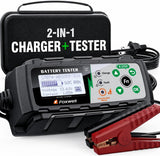 FOXWELL BC521 2-in-1 Battery Charger & Tester, Test Before
$162.35A hard reset often means a battery disconnect.
FOXWELL BC521 2-in-1 Battery Charger & Tester, Test Before
$162.35A hard reset often means a battery disconnect.
 FOXWELL BT705 Car Battery Tester 24V 12V, Alternator and Load
$159.89A hard reset often means a battery disconnect.
FOXWELL BT705 Car Battery Tester 24V 12V, Alternator and Load
$159.89A hard reset often means a battery disconnect.

Factory Reset
A factory reset through the Settings menu erases saved presets, paired Bluetooth devices, and personalized settings, returning the system to its out-of-box state. Use this if software or settings corruption seems like the underlying issue rather than a simple freeze.
Rear-Seat Entertainment Considerations
On Yukon trims equipped with rear-seat entertainment screens, these are often a separate system from the main touchscreen and may need their own independent reset if only the rear screens are misbehaving. Check whether the issue is isolated to the front, rear, or both before assuming a single fix covers everything.
Install tools
 Car Trim Removal Tool Kit 5/11/41/161-Piece Auto Interior
$9.99Trim tools and scanners.
Car Trim Removal Tool Kit 5/11/41/161-Piece Auto Interior
$9.99Trim tools and scanners.
 Car Interior Trim Removal Tool Kit — Non-Scratch Pry Tools
$11.99Trim tools and scanners.
Car Interior Trim Removal Tool Kit — Non-Scratch Pry Tools
$11.99Trim tools and scanners.
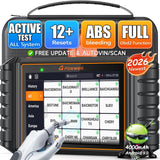 FOXWELL NT726 Bidirectional OBD2 Scanner
$368.99Trim tools and scanners.
FOXWELL NT726 Bidirectional OBD2 Scanner
$368.99Trim tools and scanners.


Quick Reference Table
| Symptom | Try This First | If That Doesn't Work |
|---|---|---|
| Main screen frozen | Soft reset (hold power/volume knob) | Hard reboot via fuse or battery |
| Glitchy after update or pairing | Hard reboot | Factory reset via Settings |
| Rear-seat entertainment issue only | Check for a separate rear system reset | Consult owner's manual for rear unit specifics |
| Issues persist after all resets | N/A | Dealer diagnosis for hardware fault |
Frequently Asked Questions
Will a factory reset affect my rear-seat entertainment settings too?
It depends on whether the rear system shares configuration with the main unit on your specific trim; checking your owner's manual clarifies whether these are managed together or independently.
Is the fuse location the same across all Yukon trims and years?
Not necessarily — always check your specific vehicle's owner's manual fuse diagram rather than assuming a universal location across all Yukon model years.
How long should a Yukon radio take to reboot after a hard reset?
Generally 30-90 seconds, though it can take longer after a hard reboot or factory reset as the system fully reinitializes; give it a couple of minutes before assuming the reset didn't work.
Does resetting the radio affect the Yukon's other electronics?
A soft or hard reset targeting just the infotainment module shouldn't affect unrelated vehicle systems, though a full battery disconnect will also reset other settings tied to constant power, like the clock.
Shop the Parts Mentioned
-
 Car Jump Starter with Air Compressor & Digital Tire Inflator — keeps your battery topped off if disconnecting it for the reset.
-
 Magnetic Car Phone Holder — a handy backup for navigation while the system reboots.
-
 95-Piece Mechanics Tool Set (Metric & SAE) — for fuse box or battery terminal access.