
Your Silverado's settings menu gives you more control than any Chevy in history — trailer brake gain, StabiliTrak, Auto Stop/Start, 4WD modes, Teen Driver and more. Most of it is safe to adjust. A few settings quietly change how your truck stops, tows, or protects you in a crash, and one popular "fix" can break your battery monitoring outright.
Here is what to leave alone, what is genuinely fine to change, and why the difference matters.
1. Trailer Brake Gain
If you tow, the integrated trailer brake controller's gain setting determines how hard your trailer's brakes apply relative to your truck's. Set it too low and the trailer pushes the truck under hard braking — a real risk on a grade. Set it too high and you lock trailer wheels and invite a jackknife on wet pavement.
The mistake is not adjusting it, it's leaving it. Gain is load-dependent, so a figure that was right for an empty utility trailer is wrong for a loaded one. Reset it whenever the trailer or its load changes, and verify with a manual override test at low speed rather than guessing. Our trailer brake controller setup guide walks through the procedure.
Trailer brake control
 ACDelco Trailer Brake Controller
$83.99Trailer brake controllers and modules. Confirm fitment by VIN before ordering.
ACDelco Trailer Brake Controller
$83.99Trailer brake controllers and modules. Confirm fitment by VIN before ordering.
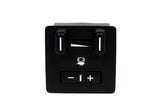 ACDelco Trailer Brake Controller
$86.99Trailer brake controllers and modules. Confirm fitment by VIN before ordering.
ACDelco Trailer Brake Controller
$86.99Trailer brake controllers and modules. Confirm fitment by VIN before ordering.
 ACDelco Trailer Brake Controllers, ACDelco GM Genuine Parts
$147.99Trailer brake controllers and modules. Confirm fitment by VIN before ordering.
ACDelco Trailer Brake Controllers, ACDelco GM Genuine Parts
$147.99Trailer brake controllers and modules. Confirm fitment by VIN before ordering.
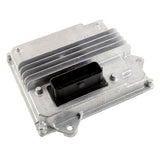 ACDelco Trailer Brake Controllers, ACDelco GM Genuine Parts
$212.99Trailer brake controllers and modules. Confirm fitment by VIN before ordering.
ACDelco Trailer Brake Controllers, ACDelco GM Genuine Parts
$212.99Trailer brake controllers and modules. Confirm fitment by VIN before ordering.


2. StabiliTrak and Traction Control
It is tempting to disable StabiliTrak fully for off-road driving or to feel more in control. Off pavement, loosening traction control is reasonable and sometimes necessary — in deep sand or mud, wheelspin is what gets you through.
On the street it is a different matter. StabiliTrak fully off removes electronic stability correction during a panic swerve, which is precisely the moment it earns its keep. Use the off-road or competitive setting rather than fully disabled, and let the system re-enable as designed once you are back on pavement.
3. Auto Stop/Start — and the Module-Level Disable Trap
Switching Auto Stop/Start off each drive with the dash button is completely harmless. It does nothing but skip the feature for that trip.
What causes problems is permanently disabling it at the module level — via hidden menus, a programmer or an aftermarket device. On trucks with the auto stop/start AGM battery system, the battery sensor and charging strategy are calibrated around the feature being present. Defeating it at that level can interfere with battery state-of-charge monitoring and surface later as a Service Battery Charging System message, or as a charging strategy that never fully tops the battery up. You end up chasing a battery fault you created.
4. Transfer Case and 4WD Modes
4WD Auto is calibrated to shift torque between axles on mixed traction. Some owners run 4Hi permanently thinking it is safer. On dry pavement that causes driveline binding through turns, because the front and rear axles are locked together and must travel different distances — and that wear lands on the transfer case and front differential.
Save 4Hi and 4Lo for genuinely low-traction conditions. Auto is the mode for uncertain surfaces.
Scan tools
 FOXWELL NT726 Bidirectional OBD2 Scanner
$368.99Scanners for 4WD, StabiliTrak and module data.
FOXWELL NT726 Bidirectional OBD2 Scanner
$368.99Scanners for 4WD, StabiliTrak and module data.
 FOXWELL NT604 OBD2 Scanner
$209.09Scanners for 4WD, StabiliTrak and module data.
FOXWELL NT604 OBD2 Scanner
$209.09Scanners for 4WD, StabiliTrak and module data.
 FOXWELL NT624 Elite OBD2 Scanner, All-System Scan Tool
$332.09Scanners for 4WD, StabiliTrak and module data.
FOXWELL NT624 Elite OBD2 Scanner, All-System Scan Tool
$332.09Scanners for 4WD, StabiliTrak and module data.
 Launch CRE 2.0 for Buick/Chevrolet/Cadillac All System
$159.00Scanners for 4WD, StabiliTrak and module data.
Launch CRE 2.0 for Buick/Chevrolet/Cadillac All System
$159.00Scanners for 4WD, StabiliTrak and module data.


5. Teen Driver and Following-Distance Alerts
Teen Driver caps speed and volume, keeps safety systems switched on, and reports hard-braking and over-speed events. Turning it off just this once defeats the point and removes the forward-collision and following-distance warnings that catch most near-misses before they become anything.
What Is Actually Fine to Change
The list above is short on purpose. Most of the settings menu exists to be used:
- Auto Stop/Start off with the dash button, every drive if you like
- Lane keep assist sensitivity, or off if the nudging annoys you — the warning is still there
- Chime volume, display brightness, ambient lighting, units
- Remote start duration and climate presets
- Automatic door lock and unlock behaviour
- Exit lighting and approach lighting timing
- Tow/Haul mode — use it any time you are loaded or descending a grade
None of these change how the truck brakes, corners or protects occupants.
Transfer case parts
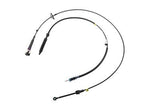 ACDelco Transfer Case Shifter Components, Cable
$98.99Transfer case switches and controls. Confirm fitment by VIN before ordering.
ACDelco Transfer Case Shifter Components, Cable
$98.99Transfer case switches and controls. Confirm fitment by VIN before ordering.
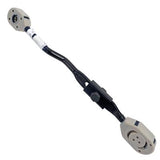 ACDelco Transfer Case Shift Linkage, GM Genuine Parts
$106.99Transfer case switches and controls. Confirm fitment by VIN before ordering.
ACDelco Transfer Case Shift Linkage, GM Genuine Parts
$106.99Transfer case switches and controls. Confirm fitment by VIN before ordering.
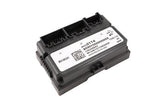 ACDelco Vehicle Accessory Control Modules, Transfer Case
$258.99Transfer case switches and controls. Confirm fitment by VIN before ordering.
ACDelco Vehicle Accessory Control Modules, Transfer Case
$258.99Transfer case switches and controls. Confirm fitment by VIN before ordering.
 15136039 Transfer Case Selector Dash Switch For Chevrolet
$37.60Transfer case switches and controls. Confirm fitment by VIN before ordering.
15136039 Transfer Case Selector Dash Switch For Chevrolet
$37.60Transfer case switches and controls. Confirm fitment by VIN before ordering.

A Note on Menu Paths
Menu structure differs between model years and trims, and between the 2014–2018 and 2019-and-newer generations in particular. If a path in any guide does not match your truck, that is expected — check the owner's manual for your model year rather than assuming the setting is missing. And remember that 2019 was a two-generation year: GM sold the carryover Silverado 1500 LD alongside the new-body truck, and they do not share an interface.
Frequently Asked Questions
Is it safe to turn off Auto Stop/Start?
With the dash button, yes — completely harmless, and it only applies to that trip. What causes trouble is disabling it permanently at the module level, which can interfere with battery state-of-charge monitoring on trucks with the auto stop/start AGM system.
Can I permanently disable Auto Stop/Start with a device?
You can, but the charging and battery monitoring strategy is calibrated around the feature existing. Owners who do this sometimes end up chasing a Service Battery Charging System message or a battery that never fully charges — a fault they created.
Should I turn StabiliTrak off?
Off pavement, loosening traction control is reasonable and sometimes necessary. On the street, leave it on. Fully disabled removes stability correction during a panic swerve, which is exactly when it matters. Use the off-road setting rather than fully off.
What should I set my trailer brake gain to?
There is no single number, because gain is load-dependent. Set it for the trailer as loaded, then verify with a manual override test at low speed — adjust up if the trailer pushes the truck, down if the trailer wheels lock. Reset it whenever the trailer or load changes.
Can I leave my Silverado in 4Hi all the time?
Not on dry pavement. With the axles locked together they must travel different distances through a turn, which binds the driveline and puts the wear into the transfer case and front differential. Use Auto for uncertain surfaces.
What is the difference between 4WD Auto and 4Hi?
Auto shifts torque between axles as traction demands, so it is safe on mixed and dry surfaces. 4Hi locks the axles together for consistently low-traction conditions like snow, mud or gravel.
Does Teen Driver actually do anything useful?
It caps speed and volume, keeps safety systems enabled, and reports hard-braking and over-speed events. The part people overlook is that switching it off also removes the forward-collision and following-distance warnings.
Which Silverado settings are safe to change?
Most of them — chime volume, brightness, ambient lighting, units, remote start duration and climate presets, door lock behaviour, exit and approach lighting, lane keep sensitivity, and Auto Stop/Start via the dash button. None of those change how the truck brakes, corners or protects occupants.
Can I turn off lane keep assist?
Yes, and it is a reasonable thing to switch off if the steering nudge bothers you. The lane departure warning remains, so you keep the alert without the intervention.
The menu path in this guide doesn't match my truck. Why?
Menu structure varies by model year and trim, and notably between the 2014–2018 and 2019-and-newer generations. 2019 is also a two-generation year — the carryover Silverado 1500 LD uses the older interface. Check your owner's manual rather than assuming the setting is absent.
A Note on Sourcing
The Auto Stop/Start warning is the most consequential item here and is stated as a risk rather than a certainty. The mechanism — that battery monitoring and charging strategy on AGM-equipped trucks are calibrated around the feature — is well established; the specific downstream symptoms owners report vary, which is why this page describes what can happen rather than what will.
No menu paths or gain numbers are published. Both vary by model year and trim, and a trailer brake gain figure in particular is meaningless without knowing the trailer and its load. Your owner's manual and a low-speed override test are the authorities.
The list of settings that are fine to change is our own judgement, drawn on one line: whether the setting changes how the truck brakes, corners or protects occupants. Everything that does not is yours to set however you like.