
Setting up a trailer brake controller on a Silverado 1500 comes down to one thing: the gain number. Everything else is menu navigation. Gain sets how hard the trailer's own brakes apply relative to the truck's, and it has to be dialled in against the actual loaded trailer using the manual apply lever — not set once from a chart and forgotten.
This guide covers finding the setting on your model year, what gain actually does, how to test it safely, and what to do if your truck was not built with a factory controller. If you are still deciding between factory and aftermarket, our comparison of integrated versus aftermarket brake controllers covers that first.
Parts and tools you'll need
- Brake controllers, adapter harnesses and trailer wiring — only if your truck was not built with the factory unit
- A plug-in 7-way tester, which turns most trailer electrical faults into a two-minute diagnosis
- A safe, empty, level area to test in — not a public road
- Your loaded trailer. Gain set against an empty trailer is wrong for a loaded one.
Trailer brake controllers
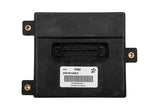 ACDelco Trailer Brake Control Module
$173.99ACDelco controllers. Confirm year. Confirm fitment by VIN before ordering.
ACDelco Trailer Brake Control Module
$173.99ACDelco controllers. Confirm year. Confirm fitment by VIN before ordering.
 ACDelco Trailer Brake Controller 84109447
$83.99ACDelco controllers. Confirm year. Confirm fitment by VIN before ordering.
ACDelco Trailer Brake Controller 84109447
$83.99ACDelco controllers. Confirm year. Confirm fitment by VIN before ordering.
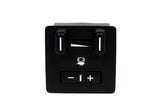 ACDelco Trailer Brake Controller 15926102
$86.99ACDelco controllers. Confirm year. Confirm fitment by VIN before ordering.
ACDelco Trailer Brake Controller 15926102
$86.99ACDelco controllers. Confirm year. Confirm fitment by VIN before ordering.

Does your Silverado have a trailer brake controller?
Three checks, any one of which settles it. Look for a Trailer Brake menu in the infotainment system or driver information centre. Check the RPO sticker in your glovebox — the integrated controller commonly arrives bundled with the Max Trailering Package, RPO NHT. And look at the bumper: a truck with only a 4-pin flat almost certainly has no brake controller, because there is no pin for the brake output to travel on.
That third check is worth understanding rather than just performing. A 4-way flat carries ground, running lights and the two turn/brake circuits — and nothing else. The electric brake signal needs a dedicated pin that only exists on a 7-way. Our guide to 4-pin, 7-pin and GM's auxiliary connectors explains why no adapter can work around that.
The most reliable confirmation is to plug in a trailer with electric brakes and watch the display. A truck with the controller shows a trailer connected message and a gain value. A truck without it shows lighting status and nothing about braking.
Where the setting lives by model year
Menu paths have moved with each infotainment generation. These are the common routes; if yours differs, look for "Trailering" in the settings tree.
| Model years | Typical path |
|---|---|
| 2022–2026 | Home screen → Settings → Trailering → Trailer Brake |
| 2019–2021 | Settings → Vehicle Settings → Trailering → Brake Controller |
| 2014–2018 | Driver information centre, navigated with the steering wheel buttons |
What gain actually does
Gain is the ceiling on how much voltage the controller sends to the trailer's brake magnets. It is not a sensitivity setting and it does not change how the controller senses braking — on a proportional controller that comes from the truck's own brake data. Gain only decides how hard the trailer brakes at full application.
Set it too low and the trailer pushes the truck under braking, lengthening stopping distances and loading the truck's brakes with weight they were not rated to stop. Set it too high and the trailer's wheels lock early, which wears tyres in flat spots and — more seriously — makes the trailer far more likely to swing under hard braking.
The starting points below are for finding the ballpark before you test. They are not settings to tow on.
| Loaded trailer weight | Starting gain (scale of 1–10) |
|---|---|
| Under 4,000 lb | 3–4 |
| 4,000–7,000 lb | 5–6 |
| 7,000 lb and up | 7–8 |
How to set the gain properly
Safety note: do this in an empty parking lot or a quiet stretch of private road, on level dry pavement, with nobody behind you. Never test gain settings in traffic.
- Hitch the trailer loaded the way you will actually tow it, and confirm the 7-way is fully seated.
- Set gain to the starting point from the table above.
- Drive at roughly 20–25 mph on level ground.
- Apply the trailer brakes using the manual lever only. Do not touch the brake pedal — you are testing the trailer's brakes in isolation.
- If the trailer barely slows the rig, increase gain by one increment and repeat.
- If you feel the trailer's wheels grab or lock, decrease gain by one increment and repeat.
- Target the setting where the trailer pulls the rig down firmly and smoothly, just short of lock-up.
- Back off slightly from that point and confirm with a normal pedal stop.
Then reset it whenever the load changes meaningfully. A trailer that is empty one weekend and loaded the next is a different vehicle to stop, and gain is the only setting that accounts for it.
Wet roads and long grades
Reduce gain slightly in rain or snow. A setting that stops just short of lock-up on dry pavement will lock the trailer's wheels on a wet surface, and a locked trailer wheel is what starts a jackknife.
On long descents, the controller is only half the answer. Tow/haul mode holds lower gears and uses engine braking to keep you off the pedal, which is what stops brakes fading on a grade — our guide to using tow/haul mode covers when to engage it.
If your truck has no factory controller
On most 2014-and-newer Silverado 1500 trucks, GM provides a dedicated brake controller connector under the driver's side dash, near the OBD-II port. A vehicle-specific adapter harness plugs into it at one end and the controller at the other, so nothing gets cut. Builds vary, so confirm the connector is present on your truck before buying an adapter rather than a hardwire kit.
Where the connector is absent — older trucks, and some configurations — the install becomes a four-wire job: power, ground, a brake switch input, and the output to the trailer brakes. Confirm wire identification with a test light and the wiring diagram for your truck rather than a generic colour chart, and use a properly rated fused feed. The brake output circuit carries real current.
Choose a proportional controller unless you have a specific reason not to. A time-delayed unit applies the same ramp whether you are easing off for a light or braking hard, which means either weak trailer braking when you need it or grabby brakes when you do not. The factory-versus-aftermarket comparison linked above goes through the trade-offs.
Towing mirrors
 14-20 Silverado/Sierra Powered Heated Towing Mirrors
$159.99Power heated towing mirrors. Confirm year. Confirm fitment by VIN before ordering.
14-20 Silverado/Sierra Powered Heated Towing Mirrors
$159.99Power heated towing mirrors. Confirm year. Confirm fitment by VIN before ordering.
 07-12 Silverado/Sierra Powered Heated Towing Mirrors
$139.99Power heated towing mirrors. Confirm year. Confirm fitment by VIN before ordering.
07-12 Silverado/Sierra Powered Heated Towing Mirrors
$139.99Power heated towing mirrors. Confirm year. Confirm fitment by VIN before ordering.


Before every tow
- Test the trailer brakes with the manual lever before you leave. Brakes can seize or a magnet can fail between trips.
- Check the breakaway battery. It charges off the 12-volt auxiliary pin in the 7-way — if that circuit is dead, the battery quietly goes flat and the system that stops a runaway trailer will not work.
- Inspect the 7-way connector. Corrosion here is the most common cause of a controller that appears to have failed.
- Re-check gain if the load changed since the last trip.
Before every tow
 DTI-13G Digital Tire Inflator
$85.99Tire pressure and wiring checks.
DTI-13G Digital Tire Inflator
$85.99Tire pressure and wiring checks.
 ACDelco Wire Connectors, Replacement, 2 Pins
$90.99Tire pressure and wiring checks.
ACDelco Wire Connectors, Replacement, 2 Pins
$90.99Tire pressure and wiring checks.
 Truck Bed Tie-Down Anchors
$32.19Secure your load.
Truck Bed Tie-Down Anchors
$32.19Secure your load.


What a brake controller will not fix
Sway is a loading problem, not a braking one. Tongue weight, load distribution and tyre pressure determine how a rig tracks, and no gain setting compensates for a trailer loaded tail-heavy. If the trailer wanders in crosswinds or when trucks pass, start with weight distribution and tongue weight.
Surge brakes are also outside the controller's scope entirely. Hydraulic surge brakes on many boat trailers actuate mechanically at the coupler when the tow vehicle slows, and they are self-contained — a brake controller does nothing for them.
Brake parts
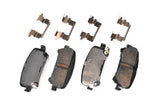 ACDelco Brake Pads, OE Replacement 1711189
$180.99Truck brake pads. Confirm fitment by VIN before ordering.
ACDelco Brake Pads, OE Replacement 1711189
$180.99Truck brake pads. Confirm fitment by VIN before ordering.
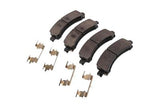 ACDelco Brake Pads, OE Replacement 1711233
$142.99Truck brake pads. Confirm fitment by VIN before ordering.
ACDelco Brake Pads, OE Replacement 1711233
$142.99Truck brake pads. Confirm fitment by VIN before ordering.
Frequently Asked Questions
What gain should I set for my trailer?
Start at 3–4 for a trailer under 4,000 lb, 5–6 between 4,000 and 7,000 lb, and 7–8 above that — then test and adjust. Those are ballpark figures for finding the range, not settings to tow on. The manual apply test against your actual loaded trailer is what sets it.
How do I test the trailer brake gain?
At 20–25 mph on level dry pavement in an empty area, apply the trailer brakes using the manual lever only, without touching the brake pedal. Increase gain if the trailer barely slows the rig; decrease it if the wheels grab or lock. Target firm smooth deceleration just short of lock-up.
Where is the trailer brake setting on a Silverado?
On 2022–2026 trucks: Home → Settings → Trailering → Trailer Brake. On 2019–2021: Settings → Vehicle Settings → Trailering → Brake Controller. On 2014–2018 it lives in the driver information centre, navigated with the steering wheel buttons.
Do I need to change gain when the trailer load changes?
Yes, every time it changes meaningfully. An empty trailer and a loaded one are different vehicles to stop, and gain is the only setting that accounts for the difference. Setting it once and forgetting it is the most common mistake with these controllers.
Should I lower gain in the rain?
Yes, slightly. A setting that stops just short of lock-up on dry pavement will lock the trailer's wheels on a wet surface, and a locked trailer wheel is what starts a jackknife.
How do I know if my Silverado has a factory brake controller?
Look for a Trailer Brake menu in the infotainment or DIC, check the glovebox RPO sticker for the trailering package, and look at the bumper. A truck with only a 4-pin flat has no brake controller, because the 4-way carries no pin for the brake signal.
Can I add a brake controller if my truck didn't come with one?
Yes. Most 2014-and-newer Silverados have a dedicated connector under the driver's side dash near the OBD-II port, so a vehicle-specific adapter plugs in at both ends with no cutting. Older trucks need a four-wire hardwire: power, ground, brake switch input and output to the trailer.
What happens if the gain is set too low?
The trailer pushes the truck under braking. Stopping distances lengthen and the truck's brakes end up doing work they were never rated for — which is exactly the situation trailer brakes exist to prevent.
Do boat trailers with surge brakes need a controller?
No. Hydraulic surge brakes actuate mechanically at the coupler when the tow vehicle slows and are entirely self-contained. A brake controller does nothing for them.
Why won't my breakaway battery hold a charge?
Usually because the 12-volt auxiliary pin in the 7-way is dead — that circuit is what charges it. It matters more than it sounds: the breakaway system applies the trailer brakes if the trailer separates from the truck, so a flat battery means it will not work when it is needed.
A Note on Sourcing
Menu paths vary by model year and infotainment generation, and the table above lists the common routes rather than a guaranteed path for every build. If yours differs, look for "Trailering" in the settings tree.
The gain starting points are ballpark figures for finding the range, not specifications. No chart can set gain for you, because the correct value depends on the trailer's brake condition, its actual loaded weight and the road surface. The manual apply test is the method — the numbers just save you a few iterations.
The under-dash connector is present on most 2014-and-newer Silverado 1500 trucks, but builds vary. Confirm yours before buying an adapter harness rather than a hardwire kit.
Specific controller brands and prices are deliberately not named here. Prices move, models are superseded, and the choice that matters is proportional versus time-delayed rather than any particular badge.
Trailer brake and breakaway requirements are set by state law and vary. Check your own state's threshold and your owner's manual, which may specify a lower trailer weight than the law requires.
Related guides
- Factory integrated vs aftermarket brake controllers
- 4-pin, 7-pin and GM auxiliary trailer connectors
- Do you need a weight distribution hitch?
- How to use tow/haul mode
- Silverado and Sierra towing capacity by year, engine and trim
- The complete Silverado 1500 how-to guide
Controllers, adapter harnesses and trailer wiring are in towing and hauling accessories — confirm the harness is listed for your exact year and model before ordering.