
P1630 carries two different GM definitions, and unusually, one GM reference publishes both side by side: system voltage too high or too low, or theft deterrent learn mode active — with the second noted as applying to specific platforms only. Those are entirely different problems. This page will help you work out which one you have, and it opens with the check that matters most under either reading: your grounds. GM has documented a theft deterrent no-start caused by nothing more than a loose ground connection.
Jump to a section: The two definitions · How to tell which you have · Reading A: system voltage · Reading B: theft deterrent learn mode · The wait that gets you started · Check the grounds — GM documented this · Learn procedures after key or module work · A note on sourcing · Symptoms · Causes and how to confirm each · How it's diagnosed · Parts and cost · What other pages get wrong · FAQ
The Two Definitions
| Reading A | Reading B | |
|---|---|---|
| Definition | System voltage error — too high or too low | Theft deterrent learn mode active |
| System | Charging and electrical supply | Vehicle security / immobiliser |
| Typical complaint | Electrical oddities, warning lights, battery symptoms | Will not start, security message displayed |
| Where to look | Battery, alternator, grounds | Security system, key, module learn state |
What makes this conflict unusually tractable is that one GM code reference gives both — listing P1630 as "system voltage too high or too low, or ECM immobiliser learning mode," and specifying that the immobiliser reading applies to particular platforms rather than across the range.
That is more helpful than it looks. It tells you the two readings are not competing claims about the same vehicles — they are different assignments across different parts of GM's range. So which applies depends on what you are driving.
The same source shows the neighbouring code carrying a similar pair, which suggests this stretch of the range genuinely was used twice.
How to Tell Which You Have
Start with the symptom
This is usually decisive on its own.
- The vehicle will not start, and a security or theft deterrent message is displayed → the security reading. A charging fault does not produce a theft message.
- The vehicle runs, but you have electrical oddities — flickering lights, warning lamps across systems, battery symptoms → the voltage reading.
Then check what else is stored
- Other theft deterrent or immobiliser codes alongside → the security reading, and those companions will be more informative than P1630 itself.
- Charging or voltage codes alongside → the voltage reading. Our P0562 guide covers that side.
And trust your scan tool
Above everything on this page. Your tool reports a description for your vehicle; your service information is better still. If either disagrees with us, they are right.
Fortunately, the first thing to check is the same under both readings — which is where we go next.
Tools for checking voltage and learn status
 TOPDON BT200 Battery Tester
$103.99Battery and charging system tester.
TOPDON BT200 Battery Tester
$103.99Battery and charging system tester.
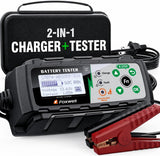 FOXWELL BC521 Battery Charger & Tester
$162.35Charger and tester — keep voltage stable during a theft relearn.
FOXWELL BC521 Battery Charger & Tester
$162.35Charger and tester — keep voltage stable during a theft relearn.
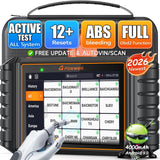 FOXWELL NT726 Bidirectional Scanner
$368.99Bidirectional scanner with module programming and relearn functions.
FOXWELL NT726 Bidirectional Scanner
$368.99Bidirectional scanner with module programming and relearn functions.
Reading A: System Voltage
If your vehicle points this way, the module has seen supply voltage outside the range it expects — either too high or too low.
Why modules care so much: everything electronic on the vehicle depends on a stable supply. Modules misbehave in strange, scattered ways when voltage wanders, which is why a charging fault can produce codes in systems that have nothing to do with charging.
Too low usually means:
- A failing battery, or one at the end of its life
- An alternator not charging properly
- Poor connections and grounds — corroded terminals, loose cables, high-resistance grounds
- A worn or slipping drive belt
- Excessive parasitic draw
Too high usually means a regulation problem — an alternator overcharging, which is harder on the battery and on the vehicle's electronics than undercharging is.
How to check it properly: test the battery and charging system under load, not at rest, and look for ripple as well as voltage. A failing diode produces AC noise while still showing acceptable DC volts — a fault that scatters codes across the vehicle while every static reading looks fine.
Our U0100 guide covers how badly a marginal supply confuses module communication, and our P0717 guide covers a documented case where alternator noise produced a transmission fault with a healthy sensor.
Reading B: Theft Deterrent Learn Mode Active
If your vehicle points this way, the code concerns the immobiliser — the system that prevents the engine running unless it recognises an authorised key.
"Learn mode active" means the security system is in the middle of a learning process — matching a key or a module to the vehicle — rather than in normal operation. During that state the vehicle may refuse to start.
How vehicles get into that state:
- A key was replaced or programmed, and the process was interrupted or not completed
- A module was replaced — engine control module, body control module, or the theft deterrent module — and needs matching to the vehicle
- A learn procedure was started and not finished, which is easier to do than it sounds
- The system faulted and entered a protective state
The important reframe: this is not necessarily a broken security system. It may simply be an unfinished procedure — the same pattern as our P1336 guide and our P160C guide, where the answer was a procedure rather than a part.
The Wait That Gets You Started
This is the most practically useful thing on the page if you are stranded, and it costs nothing.
GM theft deterrent systems generally do not lock you out permanently. They lock out for a defined interval, then time out and allow the vehicle to start.
GM documented exactly this behaviour in a bulletin about a theft deterrent no-start, noting that the message is displayed for a set interval — fifteen minutes in that case — after which the vehicle will start as intended.
So if your vehicle will not start and is displaying a security message:
- Leave the ignition on and wait. Do not keep cranking, and do not cycle the key repeatedly — on some systems that restarts the timer.
- Watch the security light. On many GM systems the light flashes during the lockout and stops when the interval has elapsed.
- Then try starting.
- Follow the procedure for your specific vehicle, since intervals and the number of cycles required vary by system.
Two things worth being clear about. First, if this gets you started, the underlying fault has not been repaired — you have worked around a lockout, and it will happen again. Second, this behaviour is also why "it wouldn't start, then later it did" is not evidence that the problem went away. It is evidence of a timeout.
Check the Grounds — GM Documented This
The cheapest check available, and there is a verified GM bulletin behind it.
GM bulletin 16-NA-024 (January 2016) covers 2014–2016 Chevrolet Impala for the condition: vehicle will not start with a theft deterrent message displayed.
The cause GM identifies is a loose ground. The bulletin instructs technicians to verify that Ground 110 is not loose, and lists Grounds 103, 110 and 101 as the connections to inspect.
Be clear about what this document does and does not say. It names P0513 — Immobilizer Key Incorrect, not P1630. We are not claiming it covers your code. We include it because it establishes something genuinely useful: GM has documented a theft deterrent no-start whose entire cause was a loose ground bolt, on a vehicle where the security system was working perfectly.
That principle generalises. Security modules, like every other module, need clean power and clean grounds. A high-resistance ground produces exactly the kind of scattered, baffling behaviour that gets blamed on a security system — and it does so while every static resistance reading looks acceptable.
So under either reading of P1630, check the grounds first:
- Voltage drop testing under load, not a static resistance check
- Look for loose or cross-threaded ground nuts, and for corrosion at the eyelet
- Check for anything trapped under the terminal — our U0100 guide covers a GM-documented case where factory sound-deadening insulation was pinched under a ground, ruining it while looking perfectly tight
And have a dealer check your VIN against current bulletins. There may be a document specific to your vehicle, and looking is free.
Learn Procedures After Key or Module Work
If the security reading applies and work was done recently, this is very likely your answer.
Security systems are deliberately difficult to defeat, which means the procedures for matching keys and modules are strict, sequential, and unforgiving of interruption.
Things that produce an unfinished learn state:
- A procedure interrupted partway through — by a door opening, a timer expiring, or someone giving up
- Marginal battery voltage during the procedure, which is a genuine cause and an easy one to prevent
- A module fitted without being matched to the vehicle
- A key that was cut but never programmed, or programmed incorrectly
The practical guidance: if the code appeared after key or module work, ask whether the learn procedure completed successfully rather than merely being attempted. And make sure the battery is in good condition before any security procedure is run — a procedure that fails halfway because voltage sagged leaves you worse off than when you started.
Security system work is one area where a dealer or a properly equipped locksmith is often the sensible route. The equipment requirements are real, and a failed attempt can complicate things further.
A Note on Sourcing for This Code
We cite documents we have read and label the rest.
We could not verify a GM service bulletin naming P1630 specifically. Both definitions appear in published GM code references, and one reference gives both together while noting the immobiliser reading applies to particular platforms — which is why we present them as alternatives rather than picking one.
Bulletin 16-NA-024 is verified — we read it. It covers 2014–2016 Chevrolet Impala, names P0513 rather than P1630, and identifies a loose Ground 110 as the cause of a theft deterrent no-start. We cite it for the principle, not as coverage of your code.
GM reused P1xxx numbers across model years and platforms, with published code lists carrying an explicit caution about it. Trust your scan tool and your service information over this page.
Symptoms of P1630
Under the security reading:
- Engine will not start, though it may crank normally
- Security or theft deterrent message displayed
- Security light flashing or illuminated
- Starts after a wait, then fails again later
- The problem beginning after key or module work
Under the voltage reading:
- Warning lights across multiple systems
- Flickering lights or dimming
- Battery warning, or a battery that keeps going flat
- Scattered codes in systems that seem unrelated
- Hard starting or slow cranking
On urgency: moderate to high under either reading, and mostly because of inconvenience rather than damage. A security lockout strands you. A charging fault strands you too, and an overcharging alternator is hard on the electronics. Neither is an emergency in the sense of causing harm by driving — but both will leave you somewhere inconvenient if ignored.
Causes and How to Confirm Each
| Cause | How to confirm it | Reading |
|---|---|---|
| Loose or high-resistance ground | Voltage drop test under load. Check for loose nuts and trapped material | Both. Check first — GM documented this on a theft no-start |
| Weak or failing battery | Test under load, not at rest | Both. Free to check |
| Alternator fault | Test charging under load; look for ripple as well as voltage | A. A failing diode passes a static check |
| Unfinished security learn procedure | Ask whether key or module work was done, and whether it completed | B. Very common after such work |
| Module replaced without matching | Ask what was replaced and whether it was matched to the vehicle | B |
| Key fault or programming problem | Try a second known-good key if you have one | B. Free, and immediately informative |
| Corroded or loose battery terminals | Inspect and clean; check tightness | Both. Among the cheapest possible fixes |
| Worn or slipping drive belt | Inspect belt and tensioner | A |
| Wiring or connector fault | Inspect; check terminal grip rather than appearance | Both |
| Security or control module fault | Last, after grounds, supply and procedures are excluded | Both. Requires programming |
Battery and ground parts
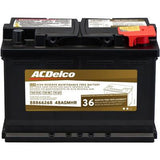 ACDelco Gold AGM Battery, Group 48
$300.99ACDelco Gold AGM battery, Group 48. Confirm fitment by VIN before ordering.
ACDelco Gold AGM Battery, Group 48
$300.99ACDelco Gold AGM battery, Group 48. Confirm fitment by VIN before ordering.
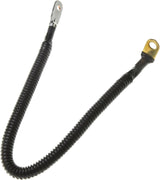 ACDelco 4ST18 Positive Fuse Block Cable
$15.84ACDelco positive battery fuse block cable. Confirm fitment by VIN before ordering.
ACDelco 4ST18 Positive Fuse Block Cable
$15.84ACDelco positive battery fuse block cable. Confirm fitment by VIN before ordering.
How Is P1630 Diagnosed?
- Establish which reading applies from the symptom, the companion codes, and your scan tool's description.
- Record all codes before clearing anything. Companion codes are more informative than P1630 itself.
- Test the battery and charging system under load, looking for ripple as well as voltage. Free, and relevant under both readings.
- Check the grounds with voltage drop testing under load. Look for loose nuts, corrosion and trapped material.
- Inspect and clean the battery terminals.
- If you are locked out, try the timeout procedure for your vehicle before assuming a repair is needed.
- Try a second known-good key if the security reading applies and you have one.
- Ask what work was done recently — key programming, module replacement, or an interrupted learn procedure.
- Have a dealer check your VIN against current bulletins. Free.
- Only then consider modules, and budget for the programming they require.
Parts and Cost
| Repair | What it involves | Cost picture |
|---|---|---|
| Tightening or cleaning a ground | Where a loose nut or corrosion is found | Effectively free. And GM-documented as a real cause |
| Battery terminal cleaning | Corroded or loose terminals | Minimal |
| Waiting out a security timeout | Where a lockout is the immediate problem | Free — but it is a workaround, not a repair |
| Battery | Where testing under load confirms it | Moderate. Match the specification to your vehicle |
| Alternator | Where charging tests or ripple confirm it | Moderate to significant |
| Ground or wiring repair | Where damage or corrosion is found | Modest |
| Key programming | Dealer or properly equipped locksmith | Modest to moderate |
| Security or control module | After everything else is excluded; requires programming | Significant. Ask what was tested first |
Confirm parts against your VIN. Security components in particular are matched to the vehicle and cannot simply be swapped in.
Related parts
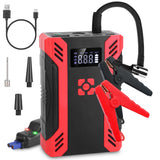 Jump Starter with Air Compressor
$177.99Jump starter with built-in air compressor.
Jump Starter with Air Compressor
$177.99Jump starter with built-in air compressor.
 ACDelco Remanufactured ECM
$301.99ACDelco remanufactured engine control module. Confirm fitment by VIN before ordering.
ACDelco Remanufactured ECM
$301.99ACDelco remanufactured engine control module. Confirm fitment by VIN before ordering.
 FOXWELL NT301 Code Reader
$68.82Budget code reader with live data.
FOXWELL NT301 Code Reader
$68.82Budget code reader with live data.


What Other P1630 Pages Get Wrong
- Presenting one definition as the definition. GM references give both a voltage reading and a theft deterrent reading, with the second noted as platform-specific. A page that picks one silently is wrong for a large share of readers.
- Not offering a way to disambiguate. The symptom usually settles it in seconds — a security message and a no-start point one way, scattered electrical oddities the other.
- Skipping the grounds. GM documented a theft deterrent no-start whose entire cause was a loose ground bolt. Under either reading, that is the first and cheapest thing to check.
- Recommending static ground checks. A high-resistance ground reads fine with no current flowing. Voltage drop under load is what exposes it.
- Never mentioning the timeout. GM security systems lock out for a defined interval and then allow starting. If you are stranded, that is the single most useful thing to know — and it explains why "it started later" is not evidence the fault is gone.
- Treating learn mode as a failure. An unfinished procedure is not a broken security system, and the fix may be completing what was started.
- Ignoring battery condition before security procedures. Marginal voltage during a learn procedure causes it to fail partway, leaving you worse off.
Frequently Asked Questions
Why are there two definitions for P1630?
Because GM used the number twice. One code reference lists it as "system voltage too high or too low, or ECM immobiliser learning mode," and notes the immobiliser reading applies to particular platforms rather than the whole range. So they are not competing claims about the same vehicles — they are different assignments, and which applies depends on what you drive.
How do I tell which one I have?
The symptom usually settles it. A no-start with a security or theft deterrent message displayed is the security reading — a charging fault does not produce a theft message. Scattered electrical oddities with the vehicle running is the voltage reading. Companion codes and your scan tool's own description confirm it.
My car won't start and shows a security message. What do I do right now?
Try waiting. GM theft deterrent systems generally lock out for a defined interval rather than permanently — GM documented one case where the message displays for fifteen minutes, after which the vehicle starts as intended. Leave the ignition on, do not keep cranking or cycling the key, watch for the security light to stop flashing, then try. Follow the procedure for your specific vehicle, since intervals vary.
It started after waiting. Is it fixed?
No — you worked around a lockout rather than repairing anything, and it will happen again. That timeout behaviour is also why "it wouldn't start, then later it did" is not evidence the problem resolved itself.
What should I check first?
Your grounds, under either reading. GM published a bulletin on a theft deterrent no-start whose cause was a loose Ground 110 — nothing wrong with the security system at all. Test grounds with voltage drop under load rather than a static resistance check, and look for loose nuts, corrosion, or anything trapped under the terminal.
Could a bad battery cause a security fault?
It can contribute, and it matters especially during security procedures. Marginal voltage causes learn procedures to fail partway through, which leaves the system in a worse state than before. Test the battery under load before any security programming is attempted.
Does "learn mode active" mean my security system is broken?
Not necessarily. It means the system is in a learning state rather than normal operation — often because a key or module learn procedure was started and never completed. That is an unfinished procedure rather than a failure, and the fix may be completing it properly.
I had a module replaced and now it won't start.
Then the module very likely was not matched to the vehicle. Security-related modules have to be learned to the vehicle as part of replacement, and that is a strict, sequential procedure. Ask whether it completed successfully rather than merely being attempted.
Shop Related Parts & Tools
Grounds and battery first — both are near-free to check and both matter under either reading. Security components are matched to the vehicle, so confirm against your VIN.
-
 VDIAGTOOL BT500 Battery Tester — first in line here whichever reading applies. It tests charging under load and analyses ripple, which is how you catch an alternator that passes a static voltage check while scattering codes across the vehicle.
-
 MOTOPOWER MP69033 OBD2 Scanner — shows the companion codes that settle which definition applies, and reports the description your own vehicle gives for P1630.
-
 ACDelco Gold Negative Battery Cable — directly relevant rather than filler: GM documented a theft deterrent no-start caused by a loose ground, and grounding faults sit behind both readings of this code. Check fitment for your VIN.
-
 95-Piece Mechanics Tool Set (Metric & SAE) — for ground stud and battery terminal access, which is where the cheap fixes on this code live.
Related Guides
- P0562 Code: System Voltage Low — the charging side in detail
- U0100 Code: Lost Communication With ECM/PCM — GM-documented ground faults and how to test them
- P1682 Code: Ignition 1 Switch Circuit 2 — module power supply faults
- P160C Code: Engine Calibration Not Programmed — another code where an unfinished procedure is the fault